Your point of sale system is much more than a way to ring up orders. In a restaurant, it serves as the central nervous system of your entire operation: managing orders, tracking inventory, processing payments, coordinating your front and back of house, and generating the reports you rely on to make informed decisions. Choosing the wrong POS can lead to slow service, frustrated staff, lost revenue, and hidden fees that quietly eat into your margins month after month. Choosing the right one can streamline every part of your business and save you thousands of dollars per year. This guide will walk you through the features, pricing models, and decisions that matter most when selecting a POS system for your restaurant.
Why Your POS System Matters More Than You Think
Many restaurant owners treat their POS system as a simple cash register. In reality, the system you choose influences nearly every aspect of your daily operations. A strong POS system reduces order errors, speeds up table turnover, and gives you real-time visibility into your sales and labor costs. A poorly chosen system does the opposite, creating bottlenecks during rush periods, making it harder for servers to close out checks, and leaving you with limited data when it comes time to evaluate your business performance.
The restaurant industry operates on notoriously thin margins, often between 3% and 9%. When your POS system is slow, unreliable, or loaded with unnecessary fees, those margins shrink even further. On the other hand, the right system can directly improve your profitability by reducing waste, improving order accuracy, and helping you understand which menu items are driving the most revenue.
Before you start comparing systems, take the time to clearly define what your restaurant actually needs. A quick-service counter operation has very different requirements than a full-service dining room, and a multi-location franchise needs capabilities that a single neighborhood bistro does not. Understanding your specific needs will help you avoid paying for features you will never use while making sure you do not overlook the ones that are essential.
Key Features Every Restaurant POS Needs
While every restaurant has unique requirements, there are several core features that any quality restaurant POS system should include. Here is what to look for.
Tip adjustment is essential for any full-service restaurant. Your POS must allow servers to add tips after the initial transaction is authorized. The system should make this process fast and intuitive so that end-of-shift checkout does not become a bottleneck. Look for systems that also support tip pooling and tip reporting for tax purposes.
Split checks are a daily reality in restaurant service. Your POS should allow staff to split a single check by seat, by item, or by custom amount without needing to void and re-enter the entire order. Clunky split-check processes slow down your servers and frustrate your guests, so test this feature carefully before committing.
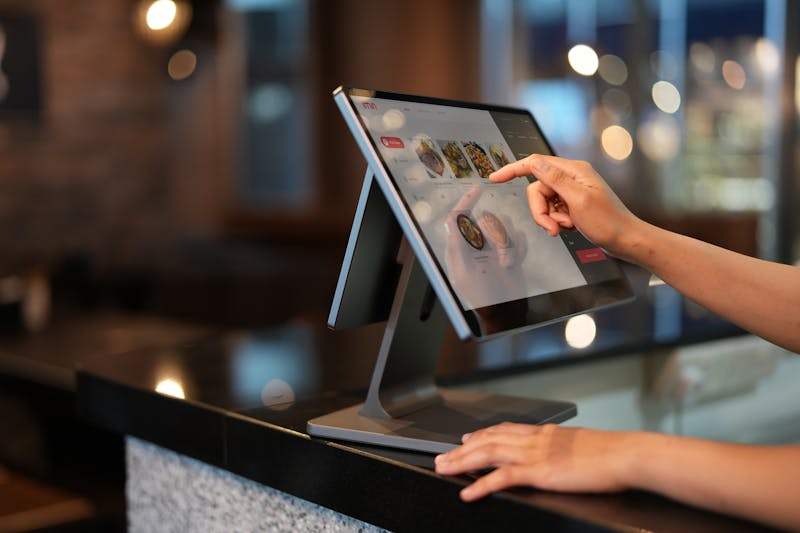
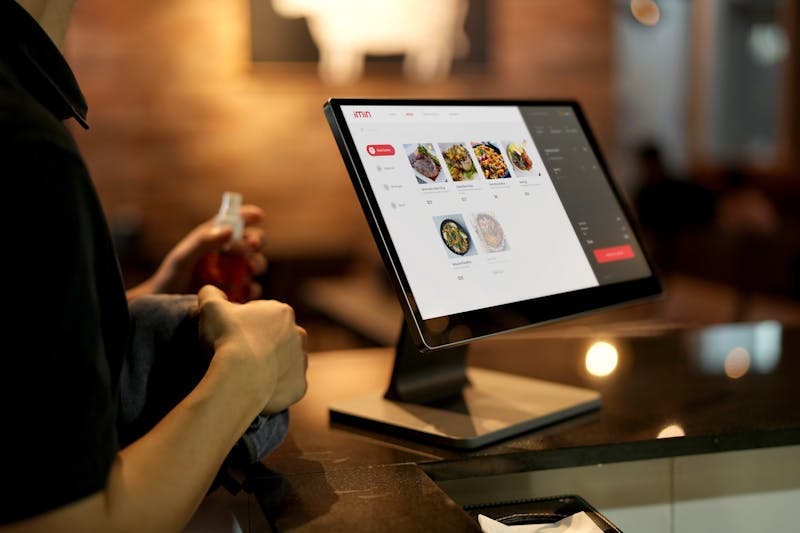
Table management gives hosts and managers a visual overview of your dining room, showing which tables are occupied, which are waiting on food, and which are ready to be turned. Advanced table management features can track average turn times and help you optimize seating during peak hours.
Kitchen display systems (KDS) replace paper ticket printers with a digital screen in the kitchen, reducing errors and improving communication between front and back of house. Orders appear on the screen as soon as they are entered, and kitchen staff can mark items as completed so servers know exactly when food is ready. This feature alone can meaningfully reduce ticket times and improve the guest experience.
Inventory tracking helps you monitor ingredient usage in real time, alerting you when items are running low and helping you identify waste. Some POS systems integrate directly with your suppliers, making reordering faster and more accurate. Over time, inventory data reveals patterns that help you make smarter purchasing decisions and reduce food cost percentages.
Reporting and analytics should go beyond basic daily sales totals. Look for a POS that provides detailed reports on sales by menu item, labor cost as a percentage of revenue, peak hours, server performance, and comp and void activity. The more granular your data, the better equipped you are to make decisions that improve your bottom line.
Cloud-Based vs. Traditional POS Systems
One of the biggest decisions you will face is whether to go with a cloud-based POS or a traditional locally installed system. Each approach has distinct advantages and trade-offs.
Cloud-based POS systems store your data on remote servers and are accessible from any device with an internet connection. This means you can check sales, adjust your menu, and review reports from your phone or laptop, even when you are not on-site. Cloud systems typically receive automatic software updates, require less expensive hardware, and are easier to scale if you open additional locations. Most operate on a monthly subscription model, which keeps upfront costs lower.
Traditional POS systems store data locally on an on-site server. They tend to be more reliable during internet outages because they do not depend on a cloud connection to process transactions. However, they often require more expensive hardware, manual software updates, and on-site IT support. For restaurants in areas with unreliable internet, a traditional system or a cloud-based system with strong offline capabilities may be the safer choice.
For most restaurants today, cloud-based systems offer the best balance of cost, flexibility, and features. Just make sure the system you choose has a reliable offline mode so you can continue processing orders and payments if your internet connection drops during a busy service.
How to Avoid POS Equipment Lease Traps
One of the most costly mistakes restaurant owners make is signing a long-term equipment lease for their POS hardware. These leases often look appealing on the surface because they require little or no money upfront. But the total cost over the life of the lease is almost always far more than purchasing the same equipment outright.
A typical POS terminal lease might charge $79 to $149 per month over a 48-month term. That means you could end up paying $3,792 to $7,152 for a terminal that retails for $500 to $1,200. Worse, many leases include automatic renewal clauses and early termination fees that make it extremely difficult to switch providers once you have signed.
The smarter approach is to work with a payment processor that provides terminal equipment at no cost as part of your processing relationship. At Power Payment Solutions, our credit card processing programs include free terminal placement with no long-term contracts or equipment leases. You get the hardware you need without the inflated costs, and you are free to leave at any time if you are not satisfied.
Before signing any equipment agreement, read every line of the contract. Ask specifically about the total cost over the full term, automatic renewal provisions, early termination fees, and whether the equipment is yours to keep at the end. If any of these answers raise concerns, walk away and explore better options.
Choosing a POS That Grows With Your Business
Your restaurant may be a single location today, but your POS system should be ready for whatever comes next. Scalability matters more than most owners realize when they are making their initial decision.
Look for a POS that allows you to easily add terminals, expand to online ordering, integrate with third-party delivery platforms, and manage multiple locations from a single dashboard. If you plan to open a second location or add a catering operation, your POS should support that growth without requiring a complete system replacement.
Integration capabilities are equally important. Your POS should connect with your accounting software, payroll system, reservation platform, and loyalty program. The fewer manual workarounds you need, the more efficient your operation becomes. Ask potential POS providers about their integration partnerships and whether there are additional fees for connecting third-party tools.
Finally, consider the level of customer support your POS provider offers. Restaurants operate on nights, weekends, and holidays. If your system goes down during a Saturday dinner rush, you need to reach a live support agent immediately, not wait until Monday morning. Prioritize providers that offer 24/7 phone support with fast response times.
Selecting the right POS system is one of the most important technology decisions you will make for your restaurant. Take the time to evaluate your options carefully. The right choice will save you money, improve your service, and give you the data you need to grow your business with confidence. And if you want to make sure your processing fees stay as low as possible no matter which POS you choose, we are here to help.
Need Help Choosing the Right POS?
We will review your restaurant's needs and recommend the best POS and payment processing setup, with no obligation and no equipment leases.
Contact Us Today